
Read the narration 3 lines
Search for the exact words. Or describe what you remember, and search by meaning finds it without the exact words. Tap a result to jump back into the conversation.
You remember the trip, the restaurant or the joke, but not the words. Chat Explorer has two kinds of search for that: Keyword for the exact words, and Meaning for what the message was about.
Search for the exact words.
- Open a chat and tap the Explore tab. On iPad, it is the magnifying glass next to the other tabs.
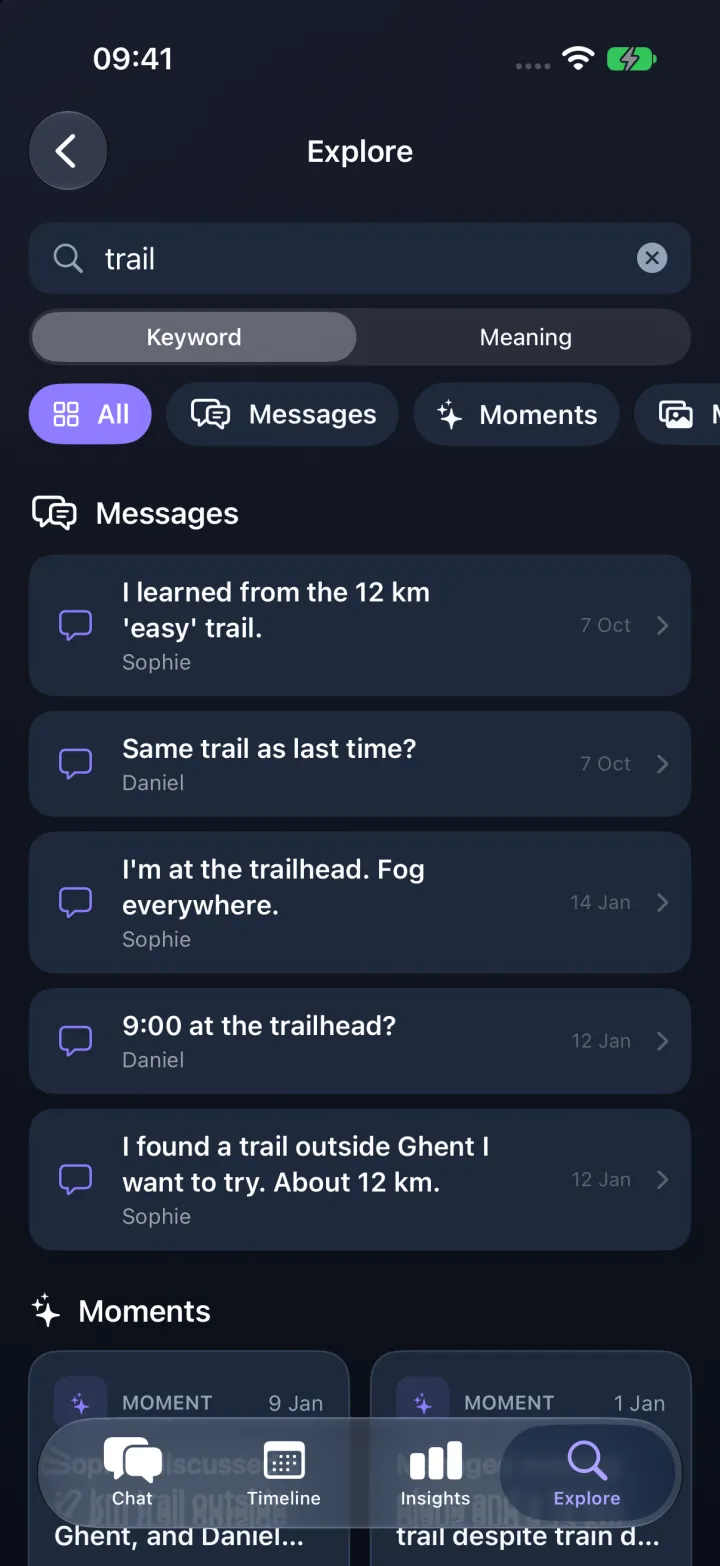
- Make sure Keyword is selected, then type in Search this conversation, for example trail.
- Results are grouped by kind. Use the chips under the field, such as Messages, Moments or Audio, to show only one kind.
- Tap a result. The chat opens at that message, with the messages around it.
Search by meaning.
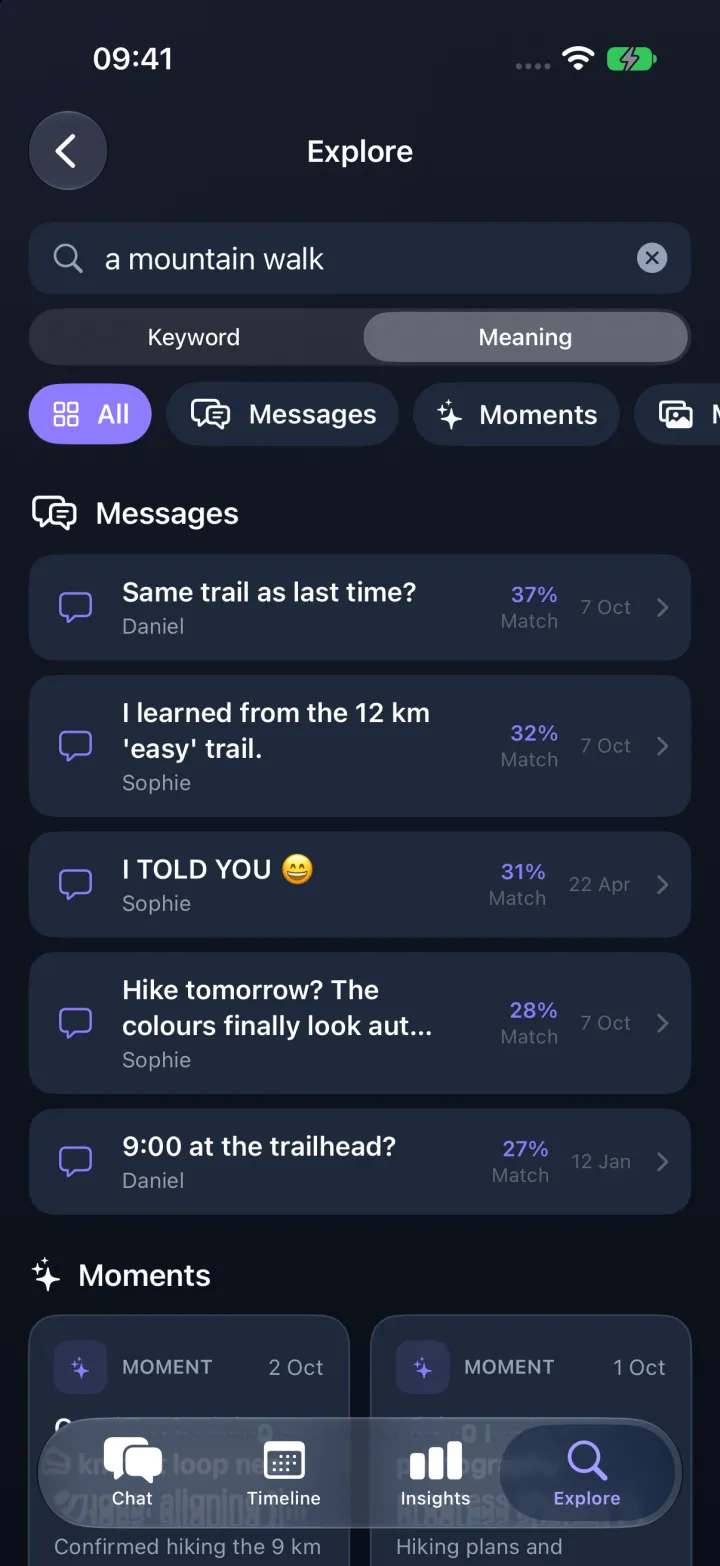
- In Explore, switch to Meaning.
- Describe what you remember in your own words, for example a mountain walk.
- Chat Explorer lists the closest messages with a match score, even when they share none of your words.
Ask a question.
Type a question instead of a search, such as when did we plan the hike? An Answer from this chat card appears above the results, with the messages it used. Tap one to read it in the chat.
Good to know. On iPhone, the first search by meaning downloads a language model and builds a private index. You see Preparing search by meaning while it works, and keyword results stay available. Search also covers voice notes once you have transcribed them.