
Read the narration 6 lines
Keep everything on your device, or add Apple's Private Cloud Compute, your own server, or your own AI account. Pick a main engine and a fallback. If both are unavailable, the feature runs on your device instead of failing. Connect a server like Ollama or LM Studio on your own network. A connection test fills in the model and its context window for you. Or use your own OpenAI, Claude or Gemini account. Your key stays in this device's keychain, and requests go straight from your device to the provider you chose. You can route each feature on its own: summaries on one engine, Ask AI on another. Nothing leaves your device until you connect a provider and agree. Locked chats never go to the cloud, and a log shows every request.
Chat Explorer's AI features, such as day stories, Conversation Stories and Ask AI, run on your device by default. From version 1.6 you can choose a bigger engine for them. Nothing is sent until you turn one on and agree to what it receives.
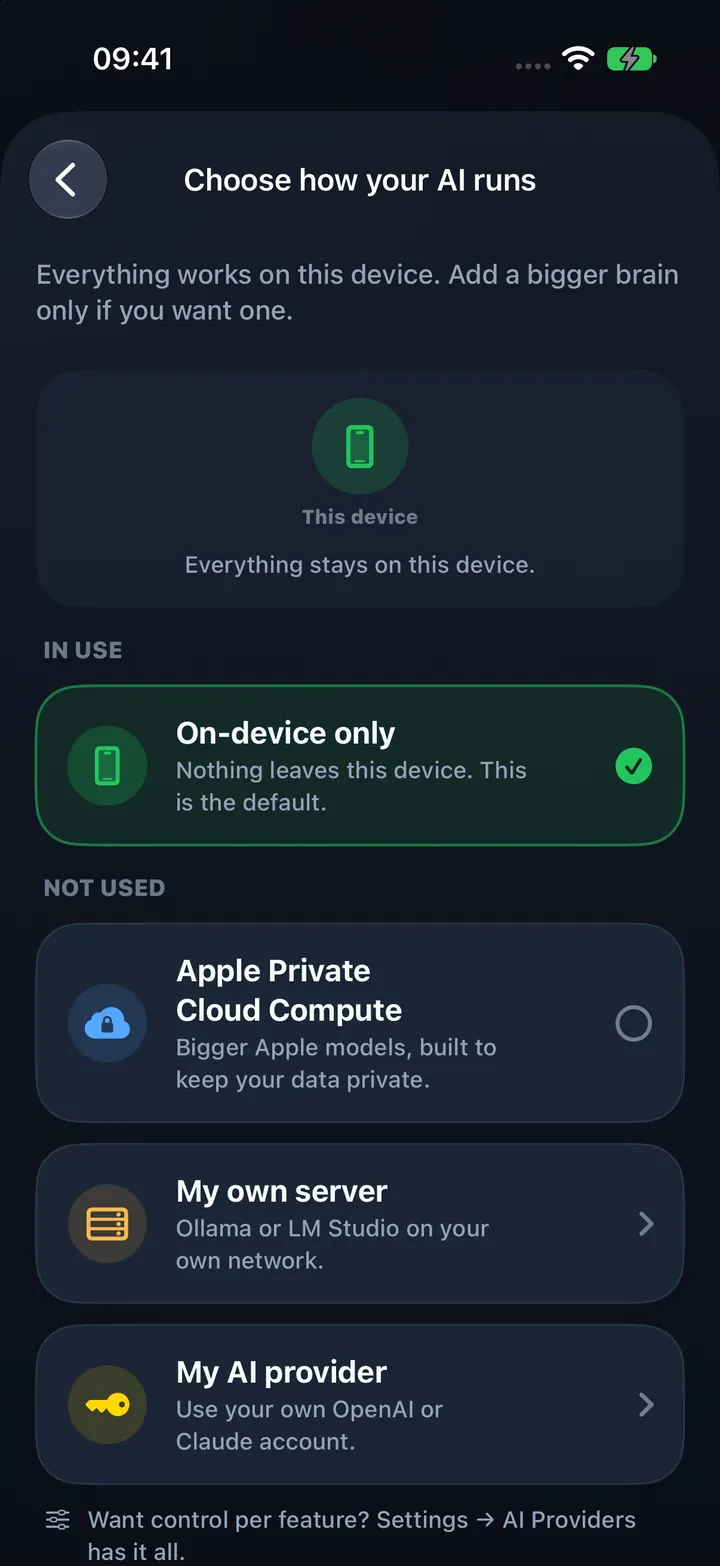
Pick your engines.
- Tap the Settings button next to Import Chat. Under Preferences, open AI Providers, then Choose how your AI runs. New users see the same page when they set up the app.
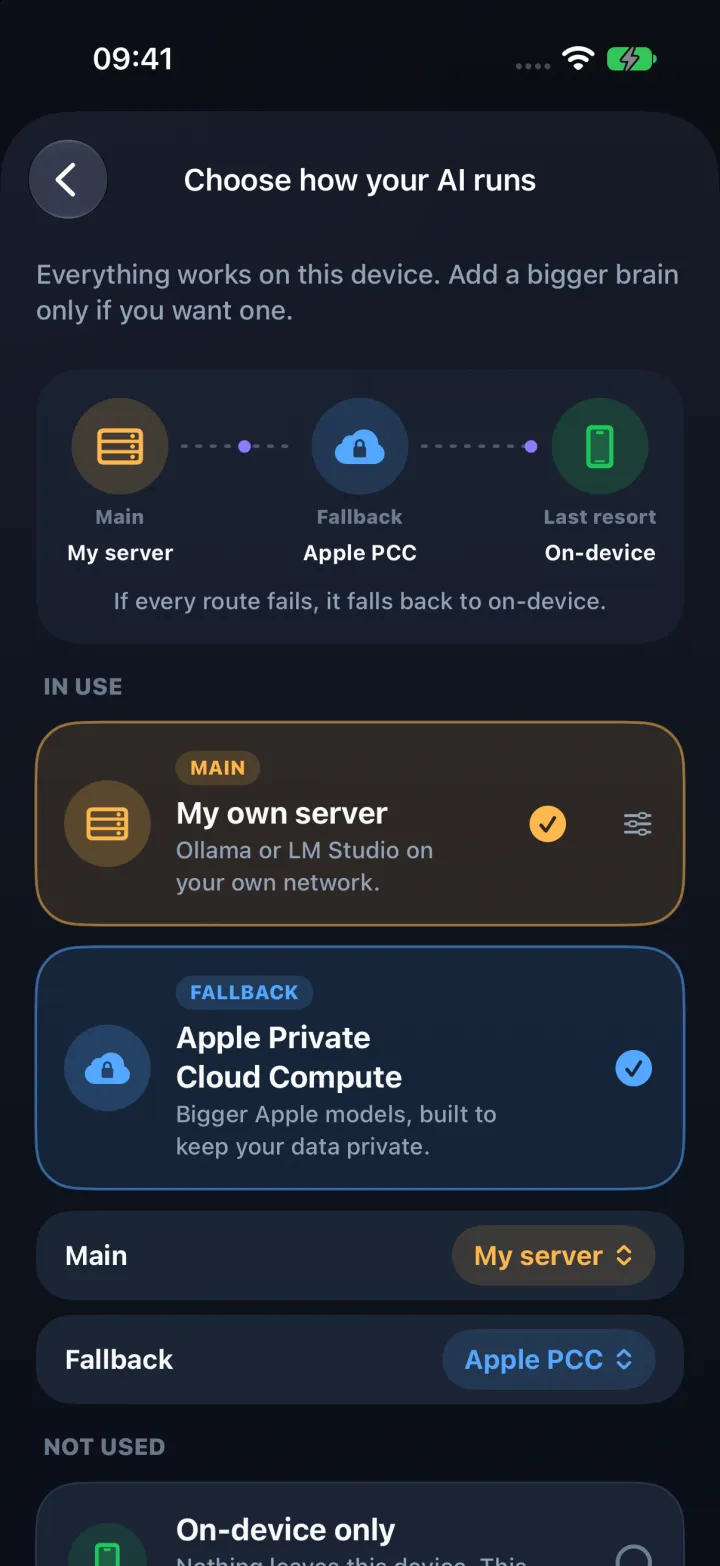
- Turn on the engines you want: On-device only, Apple Private Cloud Compute, My own server or My AI provider.
- With two or more on, choose which is the Main engine and which is the Fallback. If every engine fails, the feature runs on your device.
- Read the disclosure that opens. It lists what each feature sends. Turn on the acknowledgement, then tap Accept and Turn On, or Keep On-Device Only to leave things as they were.
Connect your own server.
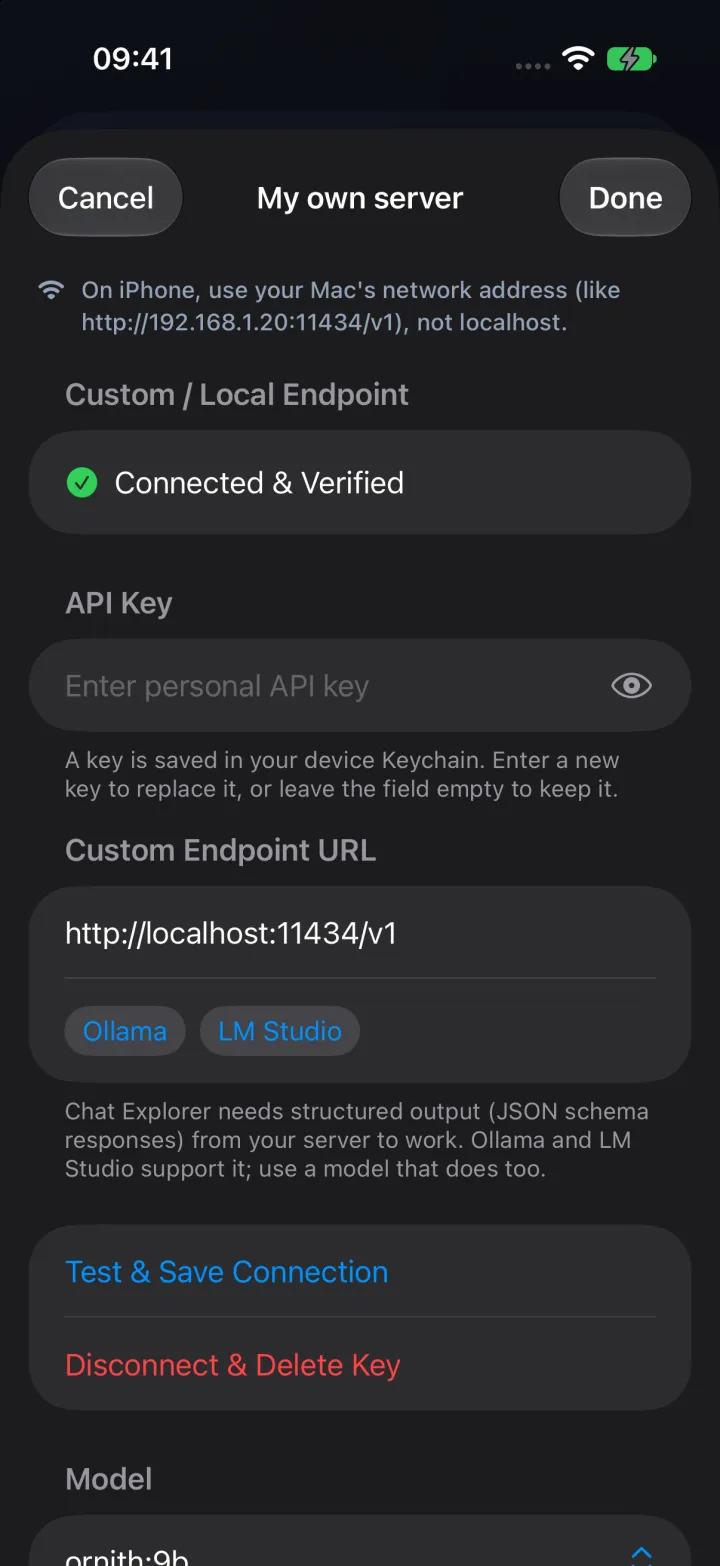
- In AI Providers, open Custom / Local Endpoint.
- Enter the server's address in Custom Endpoint URL. On iPhone and iPad, use your Mac's network address, such as http://192.168.1.20:11434/v1, not localhost.
- Tap Test & Save Connection. When it shows Connected & Verified, the model and its context window are filled in for you.
Use your own AI account.
In AI Providers, open Anthropic Claude, OpenAI or Google Gemini and paste your API key. The key is stored in this device's Keychain and is never synced to iCloud. Requests go straight from your device to that provider, with no Chat Explorer server in between.
Stay in control, and see what is masked.
Before a request leaves your device for an external engine, Chat Explorer replaces people's names, phone numbers, email addresses, links and street addresses with placeholders, then puts the real names back when the answer returns.
Read the narration 8 lines
By default, Chat Explorer's AI runs on your device, and nothing leaves it. From version 1.6, you can choose a bigger engine when you want one. Add Apple's Private Cloud Compute, your own server, or your own AI account. Pick a main engine and a second choice. If neither is available, the feature runs on your device instead of failing. Have a server at home? Connect Ollama or LM Studio on your own network. One test checks the connection, and fills in the model details for you. Or use your own OpenAI, Claude or Gemini account. Your key stays in this device's keychain, and requests go straight to the provider you chose. Each feature can use a different engine: Ask AI on one, insights on another. Nothing leaves your device until you connect an engine and agree. Locked chats never go to the cloud, and a log shows every request. Before your chat goes to an AI outside your device, Chat Explorer takes the names out. People's names, phone numbers, emails, links and addresses are swapped for placeholders before a request leaves your device. The answer comes back, and your device puts the real names in again. If something cannot be checked, it is not sent. The feature uses your next engine, with your device last. The log shows how many items were hidden, and never the names themselves. The rest of the message is still sent, so only turn on engines you trust. Chat Explorer. Free to download on the App Store.
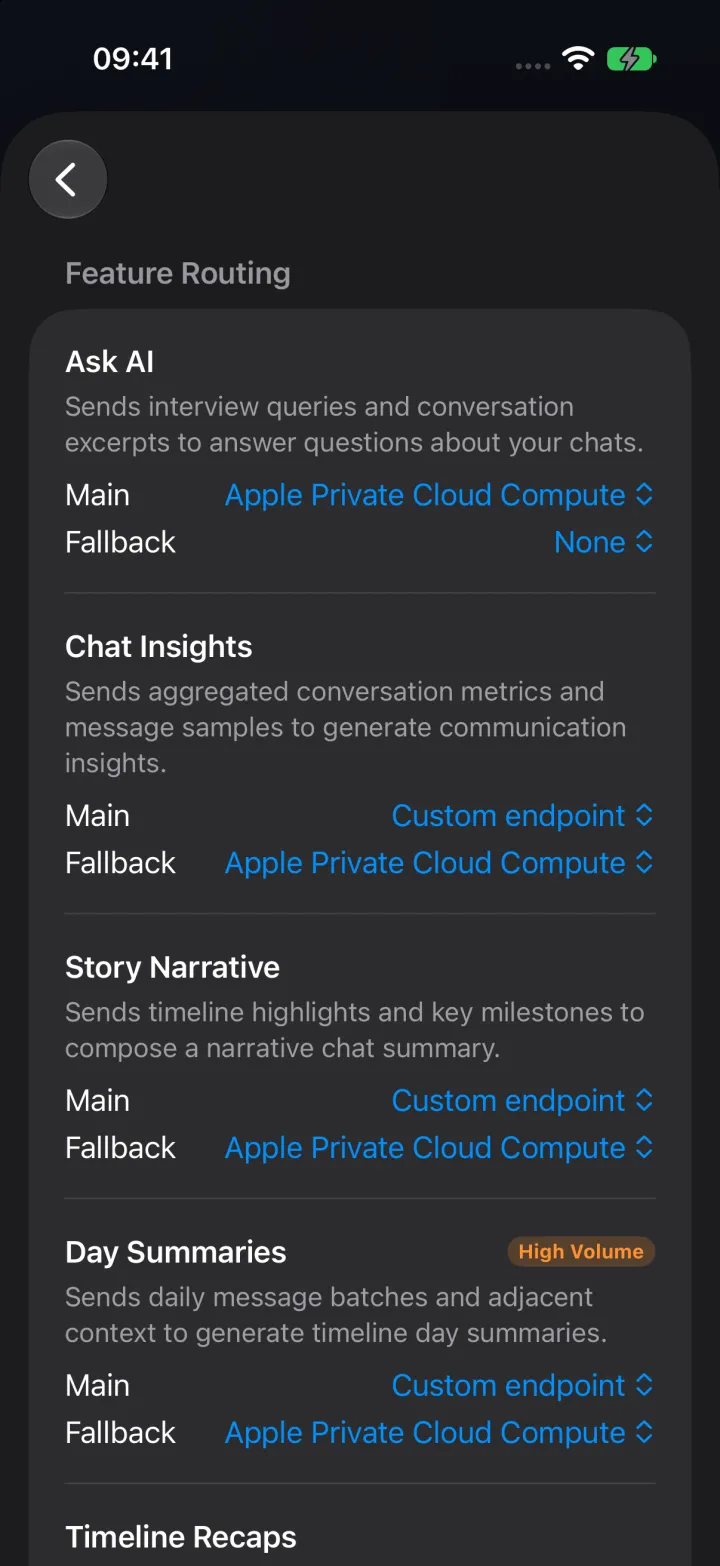
- Feature Routing picks an engine for each feature, for example day summaries on your server and Ask AI on Apple Private Cloud Compute. Reset All to On-Device undoes it in one tap.
- Inference Activity Log lists each request with its time, duration and how many items were masked. It never stores your messages, prompts or names.
- By default, locked chats stay on your device. You can allow a single locked chat if you choose; the lock guide explains how.
- Locking a chat, or tapping Disconnect & Delete Key, stops its requests right away.
Before you turn one on. Any engine that runs off your device, including Apple Private Cloud Compute, receives the content each feature needs, from message excerpts up to whole days of chat. It handles that content under its own terms and privacy policy, which Chat Explorer does not control. If you would rather not share a chat, keep On-device only or lock the chat.