
Read the narration 1 line
Your messages are there to read again, with the photos, stickers and voice notes in place.
Chat Explorer opens a chat the way you remember it: bubbles, names, times, photos and voice notes in the order they were sent. Start here before you search or look at the numbers.
Open a chat.
- Tap a chat in the list. On iPad and Mac the list stays in the sidebar, so you can switch chats without going back.
- The chat opens on the Chat tab. Scroll up to go back in time.
- Tap play on a voice note to listen to it in place, between the messages around it.
- Tap Media at the top right to see the photos and videos from the chat in one grid.
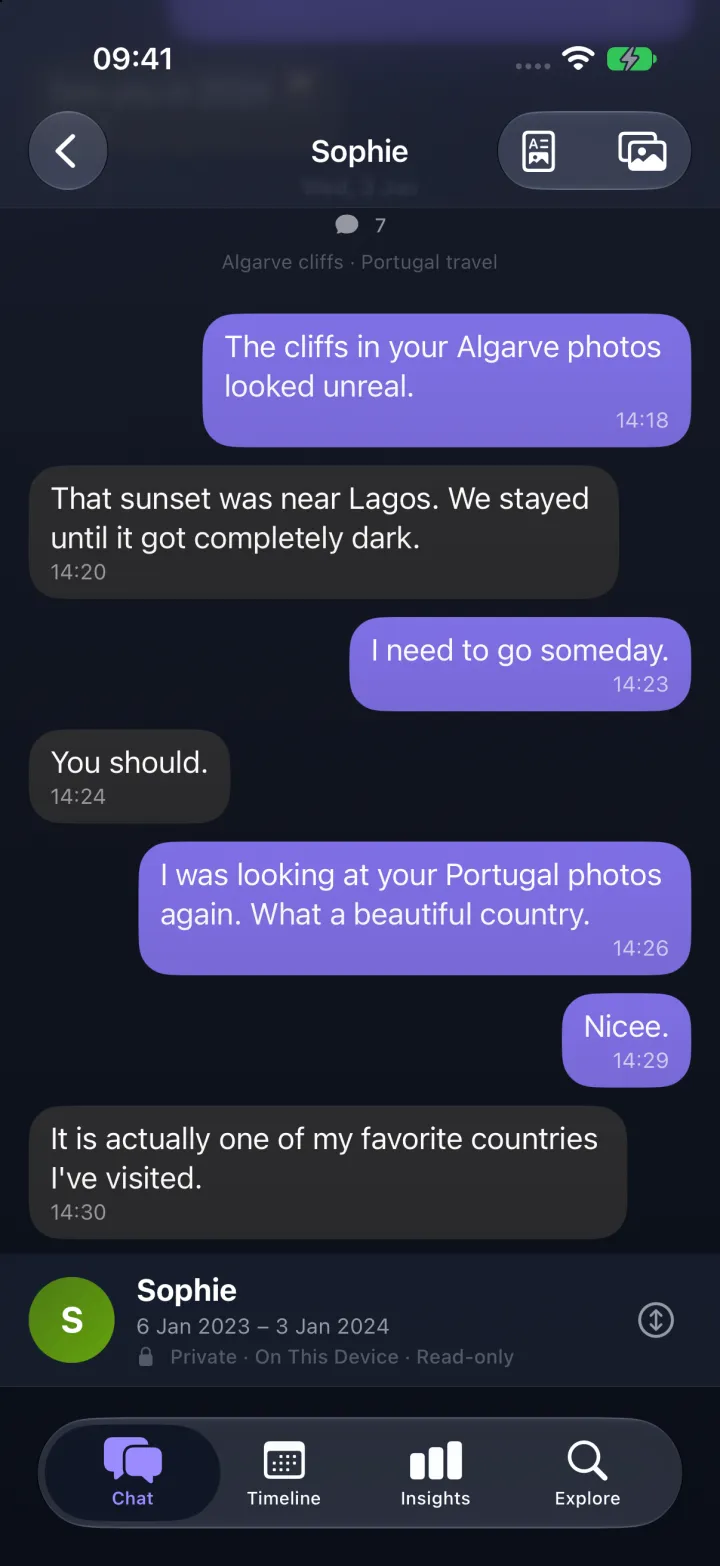
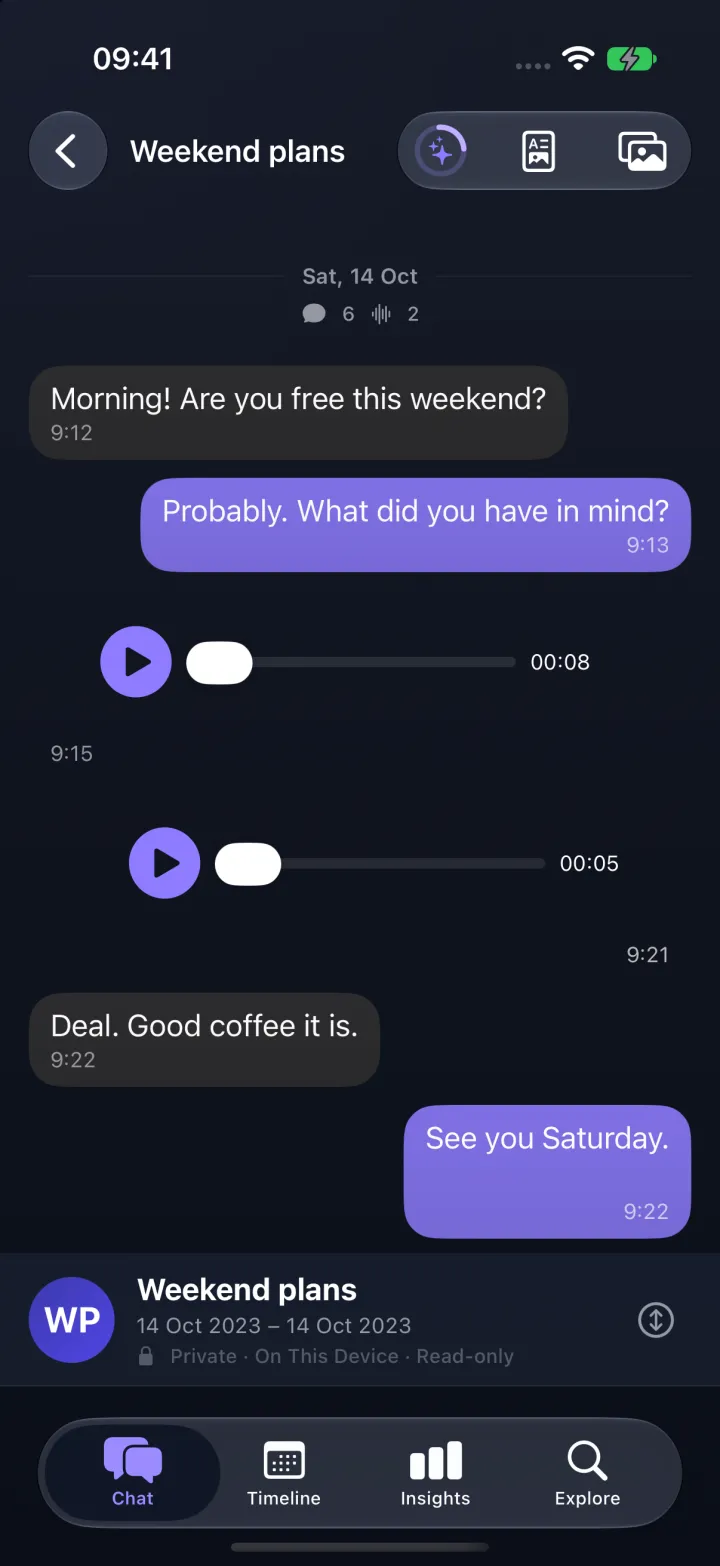
Jump to a date.
- Tap the round calendar button at the right edge of the chat.
- Drag along the track that opens. A bubble shows the month and year you are passing.
- Or touch and hold the button for a list of years and months, and tap the one you want.
Read it on a bigger screen.
On iPad and Mac the chat sits next to the list of chats, with Explore, Timeline and Insights one tap away. On iPhone Duo, unfold the phone for more room; fold it again and you are back at the list.

Good to know. Chat Explorer only reads your export; it never changes the chat in WhatsApp or Telegram. On the free plan, a chat that spans more than 90 days keeps its oldest part locked. When you scroll to it, you see how many messages are locked and a button to unlock them with Pro.