
Guide 05 0:11 Narrated · Sound on
Read the story behind a stretch of chat Read the narration 2 lines
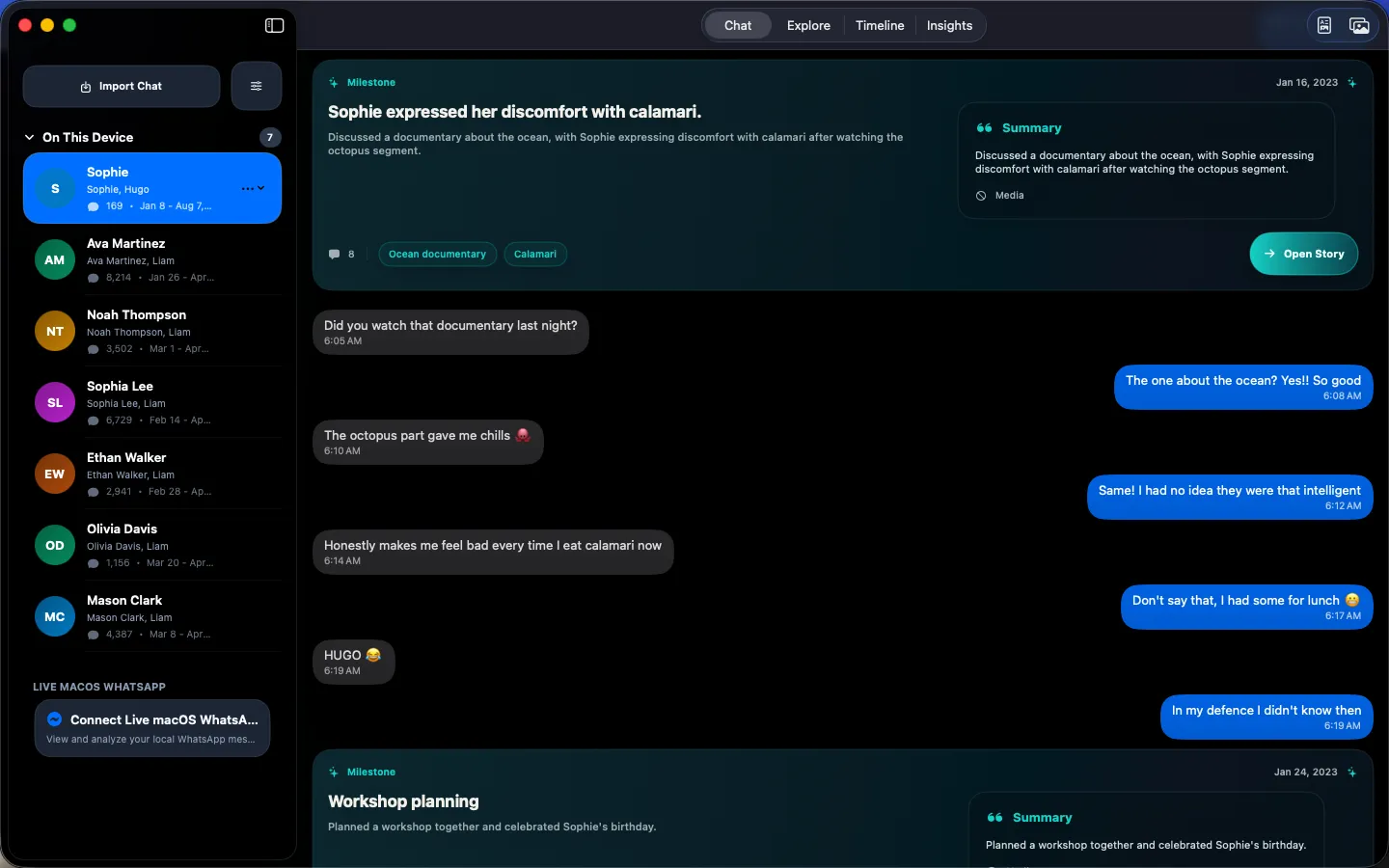
Conversation Stories tell what happened in a stretch of the chat. Every line leads back to the messages behind it.
Some days in a chat matter more than others: a plan that came together, a trip, a hard conversation. A Conversation Story is a short write-up of one of those moments, with the messages behind it one tap away.
Open a story.
- Read the chat on the Chat tab. Milestones appear as cards between the messages, with a title and a one-line summary.
- Tap Open Story on a card. You can also open stories from the Moments chip in Explore, or from a day in the Timeline.
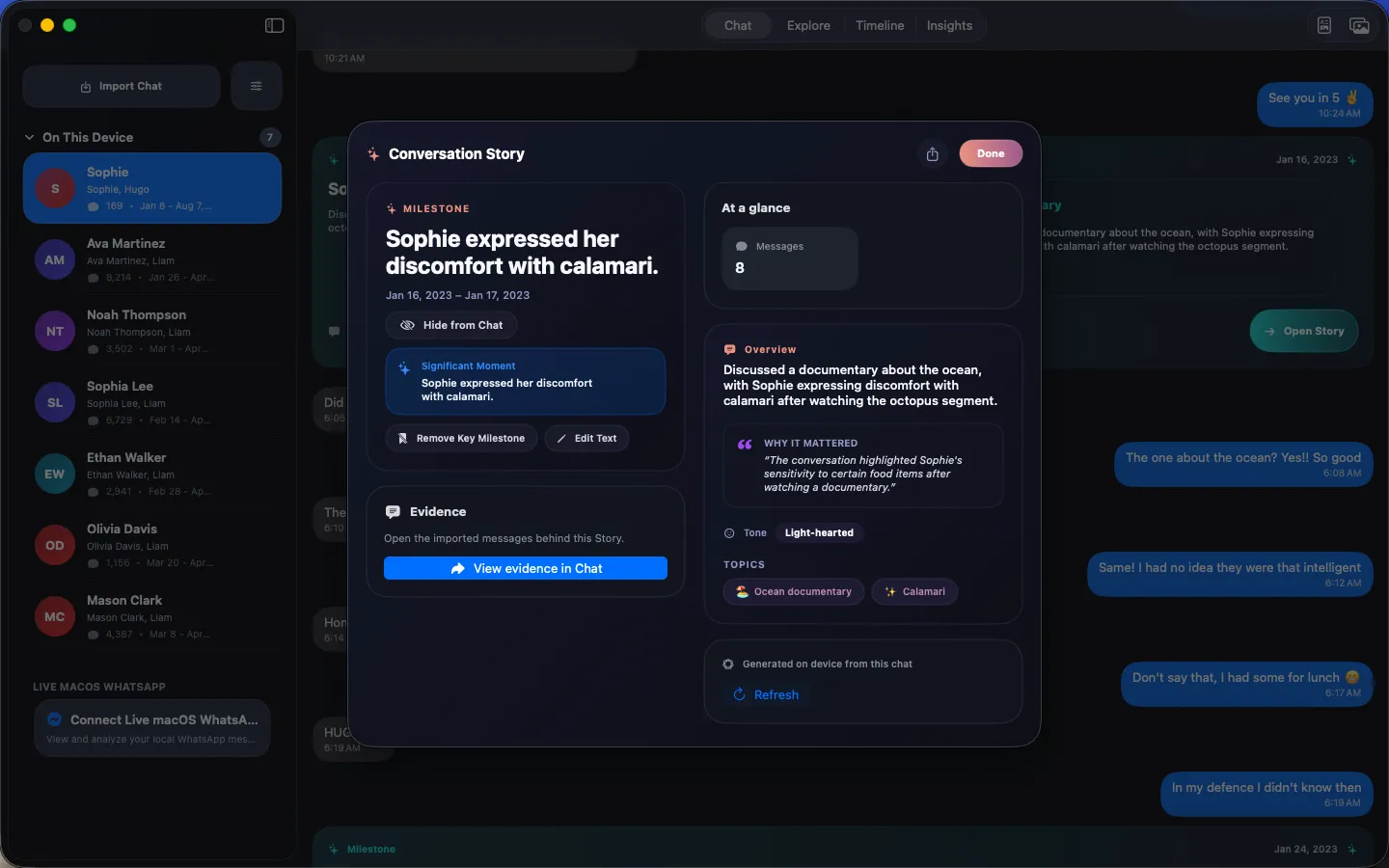
- The story shows the moment, the dates it covers, an overview, why it mattered, the tone and the topics.
- Tap View evidence in Chat to jump to the messages the story was written from.
Make it yours.
- Edit Text changes the wording of a milestone.
- Remove Key Milestone takes a moment off the list if it does not matter to you.
- Hide from Chat keeps the story but removes its card from the messages.
- To hide every card, turn off Milestones in Chat in Settings, then Preferences.
Good to know. A story is a summary, not a verdict. It can miss a joke or get a detail wrong, which is why every story links back to the real messages. Check them before you rely on it.